v17 hosting provides free SSL to the domain, where the user would be able to self-install the SSL via the steps below:
0. Prerequisite: The domain has to point to our the v17 hosted server.
1. Logon to your Plesk control panel
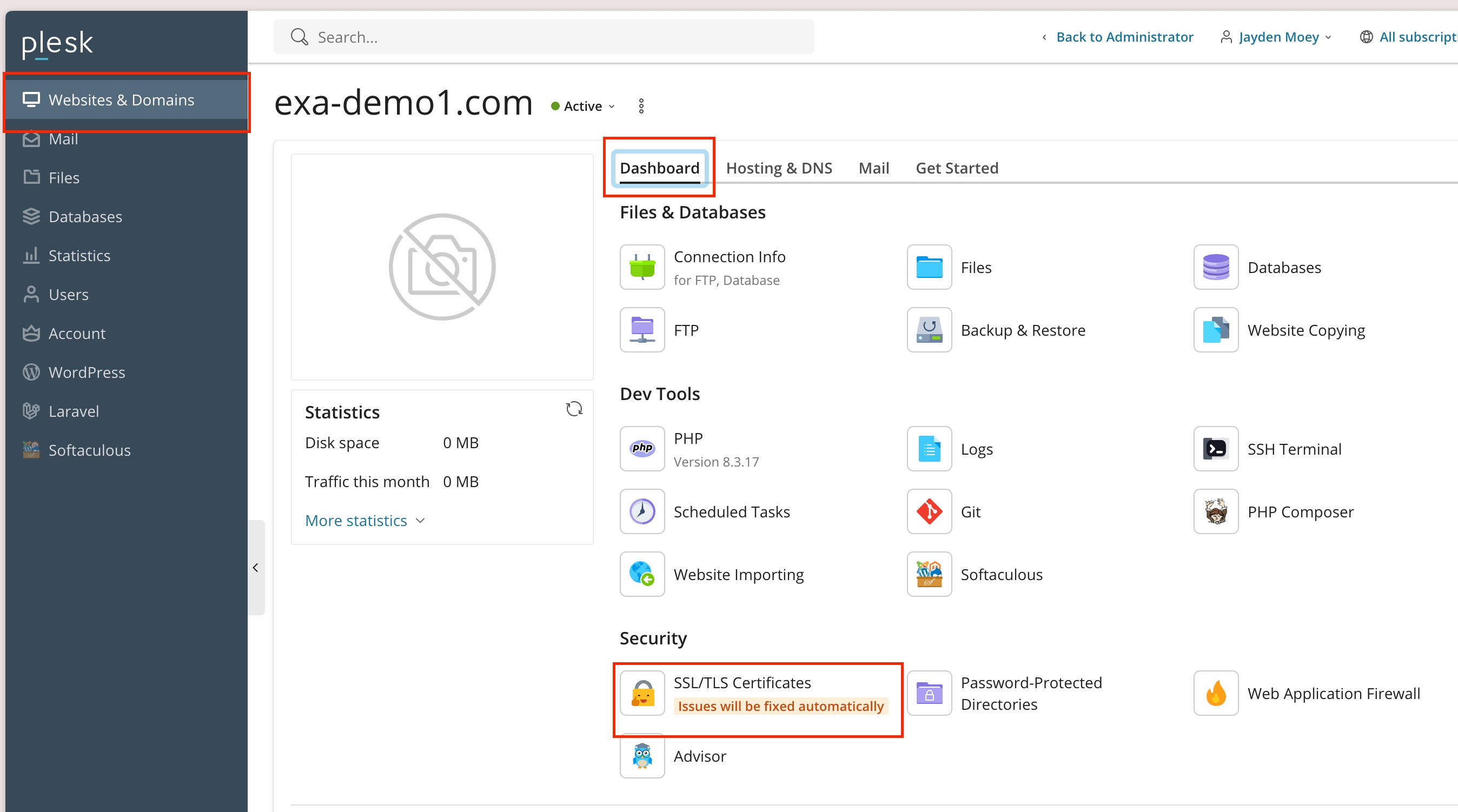
2. Navigate to Website & Domains -> Dashboard -> SSL/TLS certificates
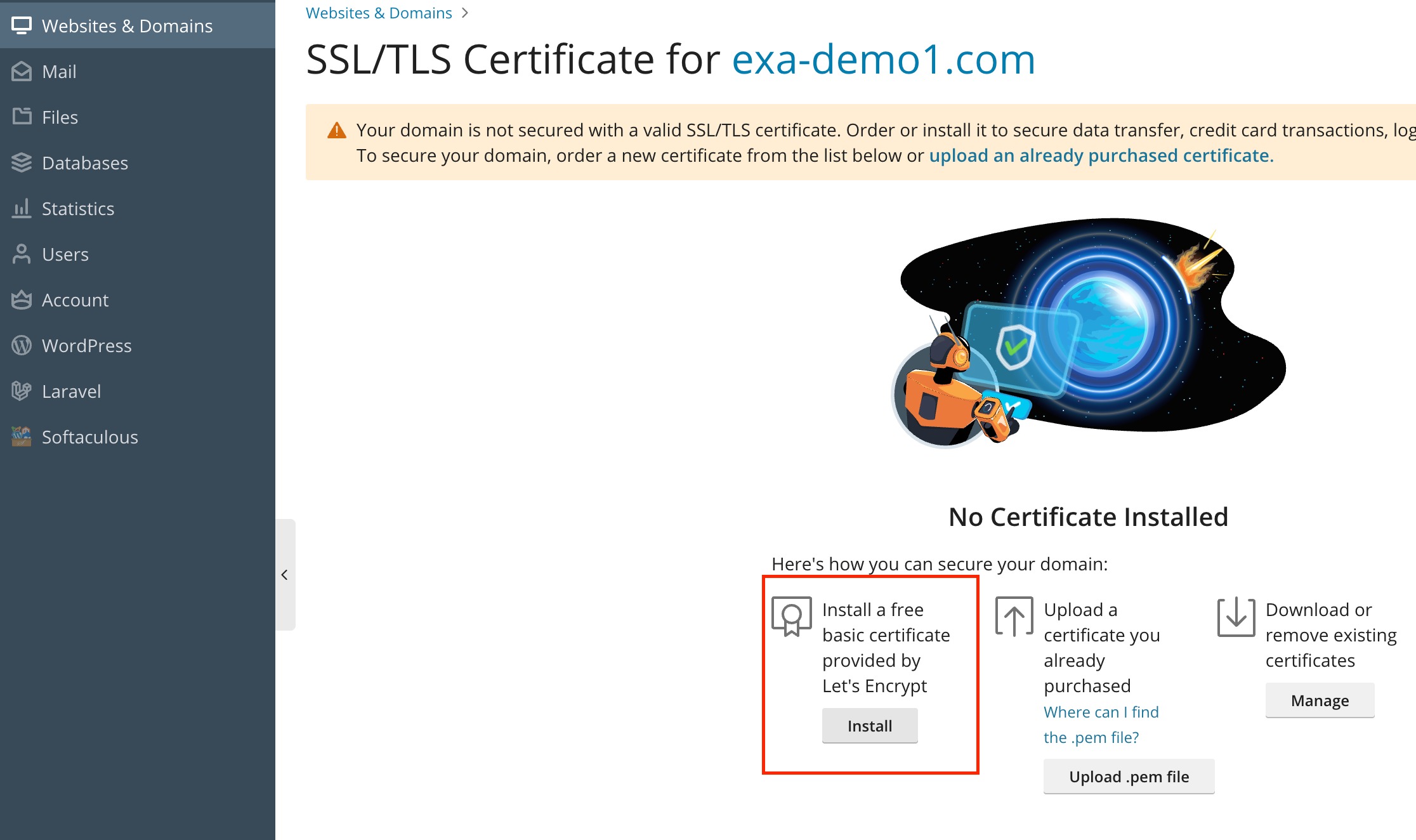
2. Select the free basic certificate option
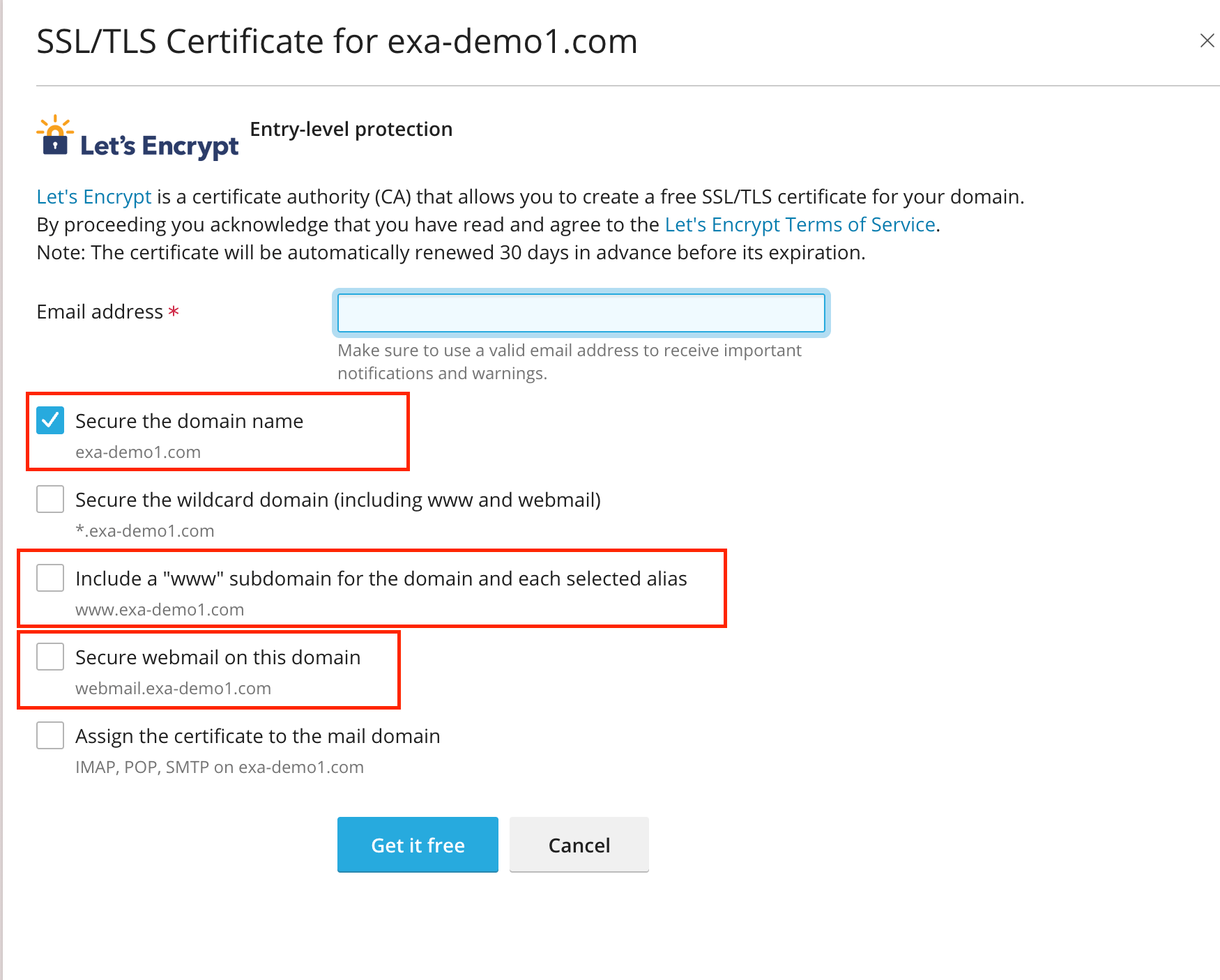
3. Select the tick box as highlighted below